Media Appearances / Acquisitions Academy Podcast
Mike Abramowitz already had the spreadsheet and assistants. He wanted my production team to work with them so he could see the podcast getting done without chasing every step himself.
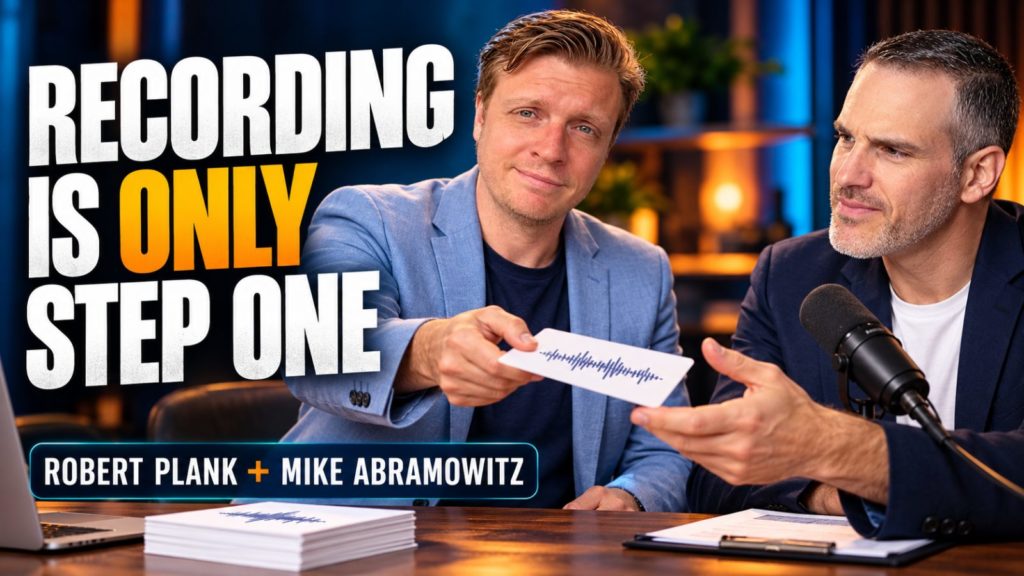
He invited me onto the Acquisitions Academy Podcast as an existing client, including work we'd done on his previous show. This was a chance to explain the handoff from both sides. His request wasn't for another place to manage work. It was for the teams to fit together.
When the tracker says an episode is 'done,' Mike needs to know what that means. Edited, approved, published and delivered to the guest are different stages. Otherwise, he still has to ask someone which one happened.
Mike asks how my production team can use his existing spreadsheet and work with his assistants. Watch our Acquisitions Academy interview for who handles each step and where approval belongs. His podcast channel has the rest of the series.
Why I Needed Help After the Recording
Mike and I first connected through a podcast swap. He'd appeared on my show while running his previous company, and we'd kept the relationship going. In this interview, he explained that many of the opportunities he'd valued most came from the people in those conversations and the introductions that followed. That was his experience, not a promise that every interview produces a client.
I recognized the attraction. I'd traveled to networking events, spent four days away, and sometimes come home wondering what I'd accomplished. Other trips introduced me to someone who changed the course of my work. I wanted a more deliberate way to have those conversations without depending on the next event.
Podcasting also answered a different problem in my business. I'd sold information products, software, webinars and courses. I had an email list and affiliates, but I was seeing fewer clicks. Posting on Facebook mostly put me in front of college friends. Writing a substantial article took time away from client work. A conversation with someone who knew a different subject gave me something useful to publish and something new to learn.
Mike asked how that turned into a production service. The difficulty was switching between all the small jobs: do the client work, record the conversation, edit it, write the notes, upload the files, schedule the posts. I could do those things. Moving back and forth between them was consuming too much of my day.
If you're deciding what to delegate, follow one recording after the call ends. Write down every step it passes through and where it waits. You may discover that the delay is choosing a title or returning a file for review, rather than a difficult edit. That's a useful assignment to give someone because you can describe what needs to happen next.
Where the Editor Gets the Recording
I started with where the recordings come from. In the process I described, some clients had recordings in Zoom or Riverside for the team to retrieve. Others placed their video in Google Drive or Dropbox. Either arrangement gives production a starting point, provided everyone knows which location to use and which recording is ready.
We used Slack to coordinate access and questions. Choose one place both teams check, and give the people doing the work access to the correct recording or shared folder.
From there, make the handoff specific enough that the editor can begin. Identify the correct recording and episode, include the guest's name and relevant details, and specify the intended publication date and destinations. Add anything that affects the edit, such as a section you want removed or information needed to spell a name correctly.
Keep those details with the recording link in the tracker. The editor should be able to start from that record without reconstructing the assignment from several conversations.
Who Approves the Episode Before Publication?
An episode can be edited and still be waiting for a title decision. It can be approved without being published. If your spreadsheet marks all of those situations as "done," you'll have to ask someone what actually happened.
Approval varies by client. Some clients want to review the title before it's decided. Others want to watch the edited video before publication. Once a routine is established, some are comfortable letting the team proceed within what they've agreed.
Decide which arrangement applies to your show before an episode reaches that point. Specify what needs review, who reviews it, and where approval is recorded. The person responsible for publishing needs to know whether to wait or continue.
You can use this sequence to organize the handoff we discussed, adapting the review stage to your show:
| Stage | What to record or confirm |
|---|---|
| Recording received | The correct source file is available. |
| Episode tracked | Its identity, assignment, and publication target are recorded. |
| Edited and packaged | The episode and agreed supporting assets are prepared. |
| Agreed review completed | Required title or video approval is recorded. |
| Published | The episode is live on the agreed channels. |
| Links and guest assets returned | Live links are recorded and promised materials are delivered. |
Keep the actual live links with that final stage. Both teams can use them to check what reached the audience and what the guest received.
Check the Files, Links and Guest Materials
Once the episode has moved through editing and approval, check what will actually reach the audience. The outputs I described to Mike included produced audio and video, show notes, reels, graphics, and publication or scheduling on the channels agreed with the client. Each piece gives someone a different way to encounter the conversation.
You can make that responsibility concrete with a final check before publication:
Confirm names, titles, and captions are accurate.
Check that the episode title and show notes match the conversation.
Open the links and test the audio or video player.
Confirm the correct files are scheduled for the agreed channels.
Check that promised guest assets are ready and assign someone to send them.
After publication, open the episode and guest folder from the links you plan to send. Check that the player works, the files are the right ones and the guest can access them. Then mark the episode complete.
Assign the final review to a person, even if it isn't the owner. That closes the gap between several people finishing their individual tasks and someone checking the episode package as a whole.
Save the source link, approved assets and host credit with the finished episode. A later follow-up is easier when the next person can find the work without searching old folders.
Use the Finished Episode to Follow Up
Near the end, Mike asked whether he'd missed a question I wanted to answer. I came back to follow-up. Someone can understand the service, like the idea and still have no immediate reason to buy it. Their timing matters. I don't want every conversation to depend on getting a sale that day.
An interview gives us something else to do together. I can share the episode again when the subject becomes relevant, choose another useful clip or write an article that explains the person's advice. Then I can tell them what I shared and give them the link. That contact has a purpose they can see.
This is also why the tracker needs the original episode URL and finished materials. Six months later, I shouldn't have to search several folders to find the correct conversation or guess which clip was approved. The work we've already done should make the next useful contact easier.
Production can create and deliver those materials. The owner still decides who to contact, why the topic fits and whether the timing is welcome. A guest list isn't an automatic list of buyers or a reason to send the same sales message to everyone.
Compare the Service With the Jobs You Need Done
Mike shared his screen during the interview and opened the service website. He asked about the consultation and the production options. I explained why I preferred predictable monthly production pricing: I wanted the client to know how the work would get handled without personally managing every small decision.
The prices discussed belong to that recording. Use the current production page to check the scope and terms available now. Before comparing packages, identify your recording frequency, required channels, existing assistants and review requirements. Those details tell us more than a general request to "take care of the podcast."
Mike's own example was specific. He had assistants and a spreadsheet he wanted to keep using. He wanted our team to communicate with his team and return the evidence that the episode had been finished. That's the process the video explains from both sides.
Try the Handoff With One Recording
Choose the recording's arrival location, the tracker and the approval point. Follow one episode until the live links and guest materials are returned. Wherever someone still has to ask what happens next, name the decision and its owner.
If you'd like my team to handle that production, visit the podcast production page. Compare the service with your recordings, required outputs and review points. Bring the spreadsheet or the example that's waiting now, so we can discuss the work that needs to move.
Mike wanted our team to use his spreadsheet, keep his assistants informed and return the live episode links. Those are the details to agree on before the next recording.
About Robert Plank
Robert Plank is the host of Marketer of the Day and owner of DFY Podcast. He helps business owners use podcast conversations to build relationships and creates production processes that carry recordings through editing, publishing, and promotion.
Original Conversation and Resources
- Watch Robert Plank's conversation with Mike Abramowitz on Acquisitions Academy Podcast. Mike discusses the production service as an existing client.
- Explore the Acquisitions Academy Podcast channel.
- Review podcast production information.
- Browse Robert Plank's Media Appearances.